The product
Every part of the event, from the first invitation to the last certificate.
Invitations and registration, the event website, replies, VIPs, the venue, groups, the gate and certificates: one platform, one record per person, and each person on your team working in their own part.
Invitations and registration
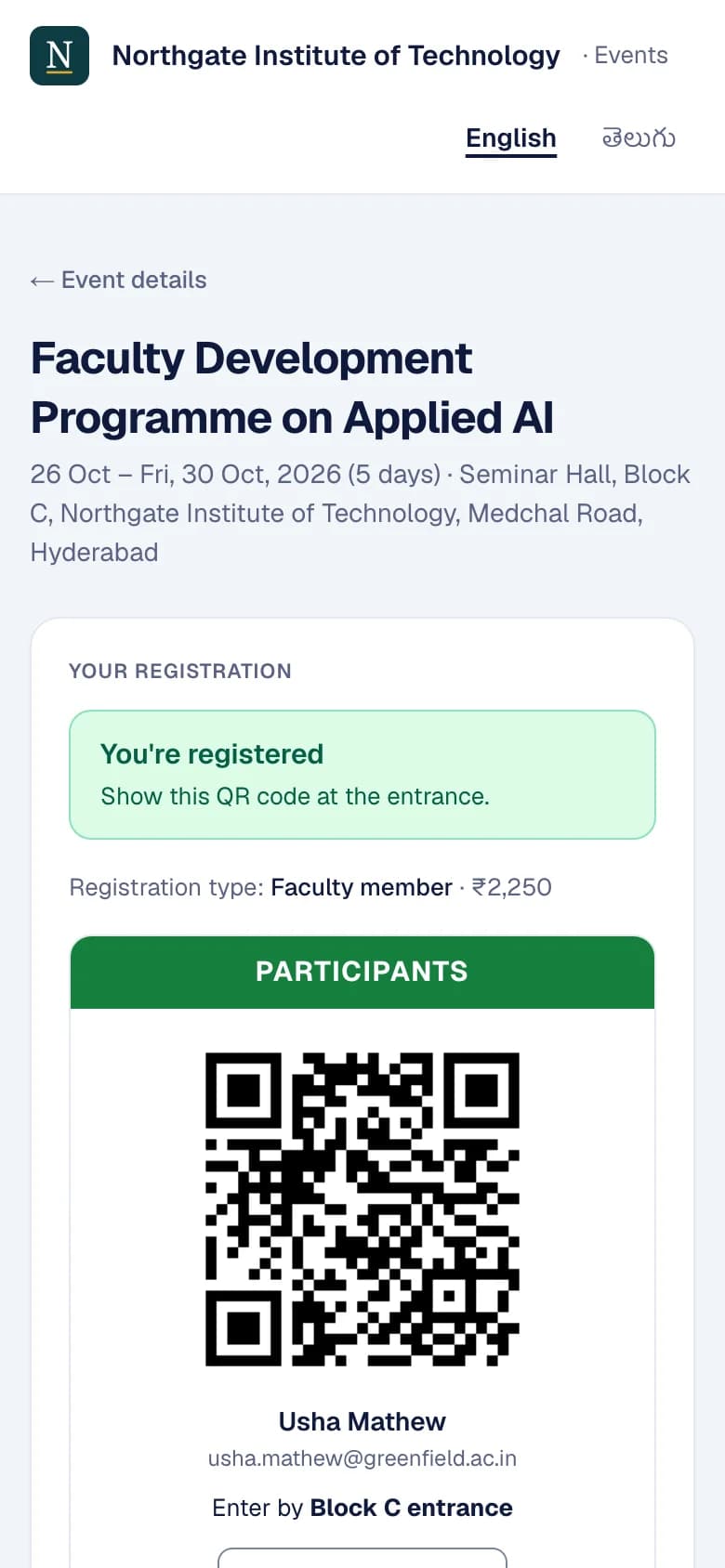
Invite named guests, open registration to the public, or both. Each person has one record for the event, from invitation to check-in.
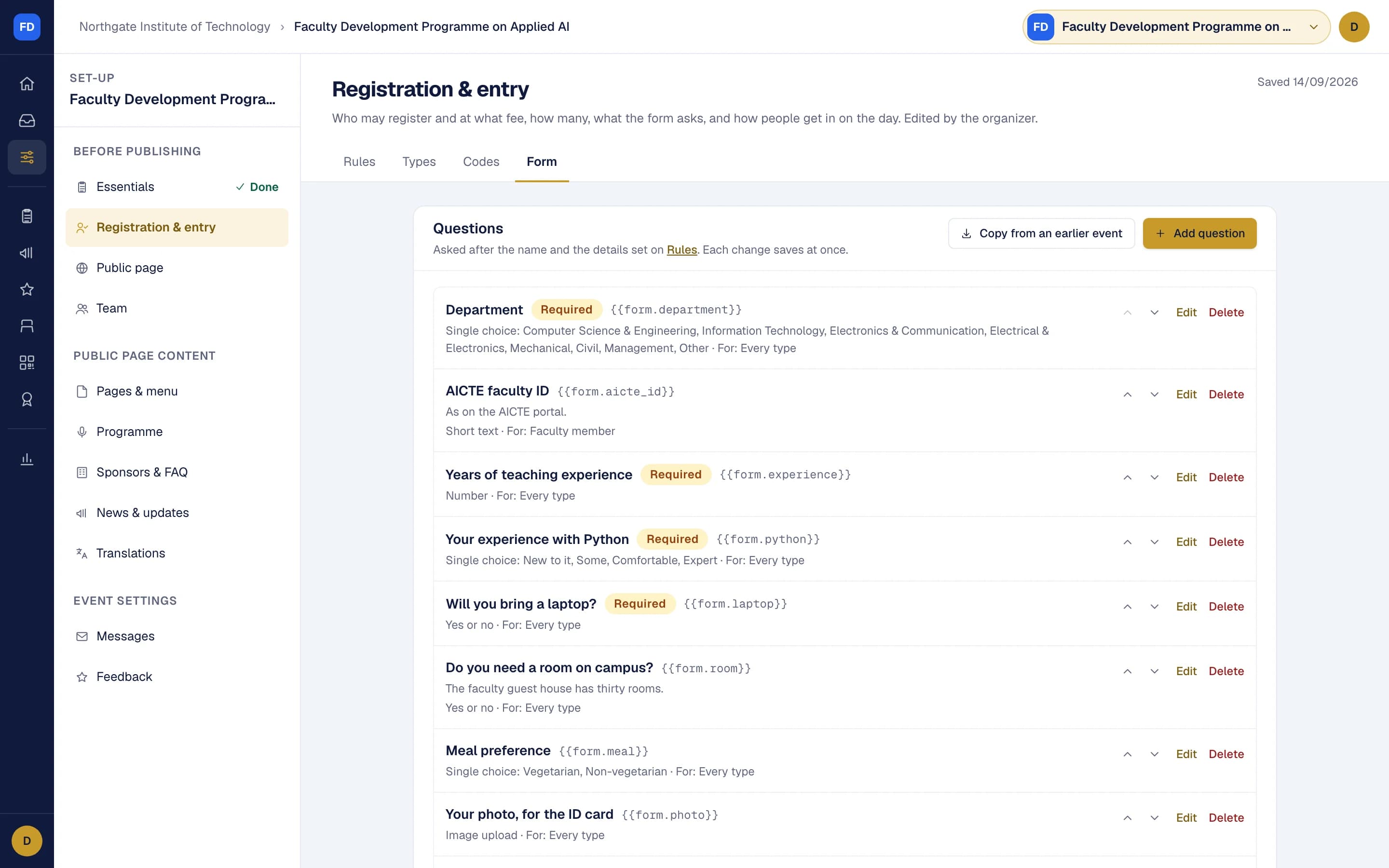
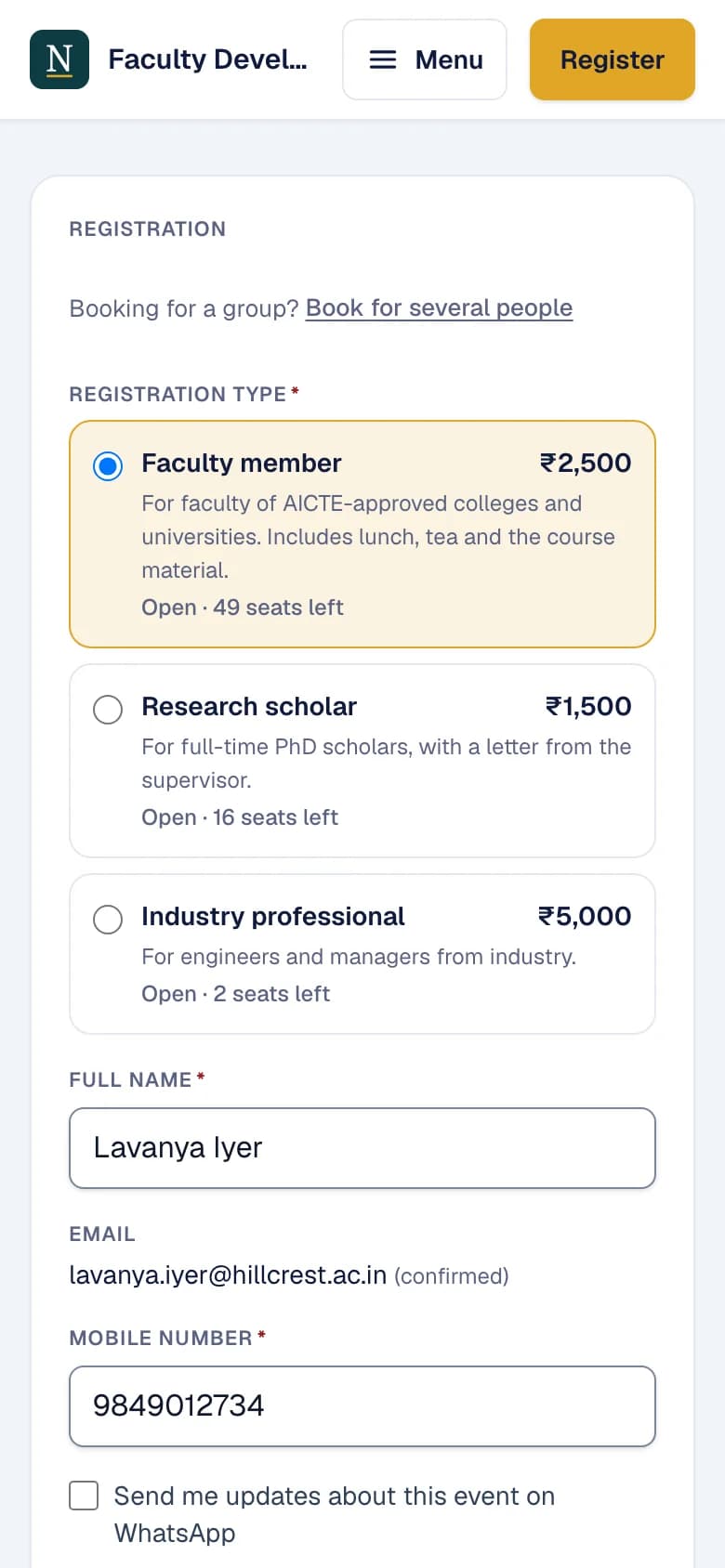
- Registration types, each with its own fee, capacity, dates and approval, public or by invitation only
- Your own form: nine kinds of question, with conditions and uploads
- Fees into your own Razorpay account at 0% commission, with receipts in your name
- Group orders: one buyer, several places, names given later
- Bank transfer with a payment request, or pay later against a purchase order
- Discount and complimentary codes, and passing a place on to someone else
- Imports, approval, a waitlist, and a private page and pass for every person
Event websites
Every event gets its own website on your organisation's address, built from the event's own details, so it changes when they do.
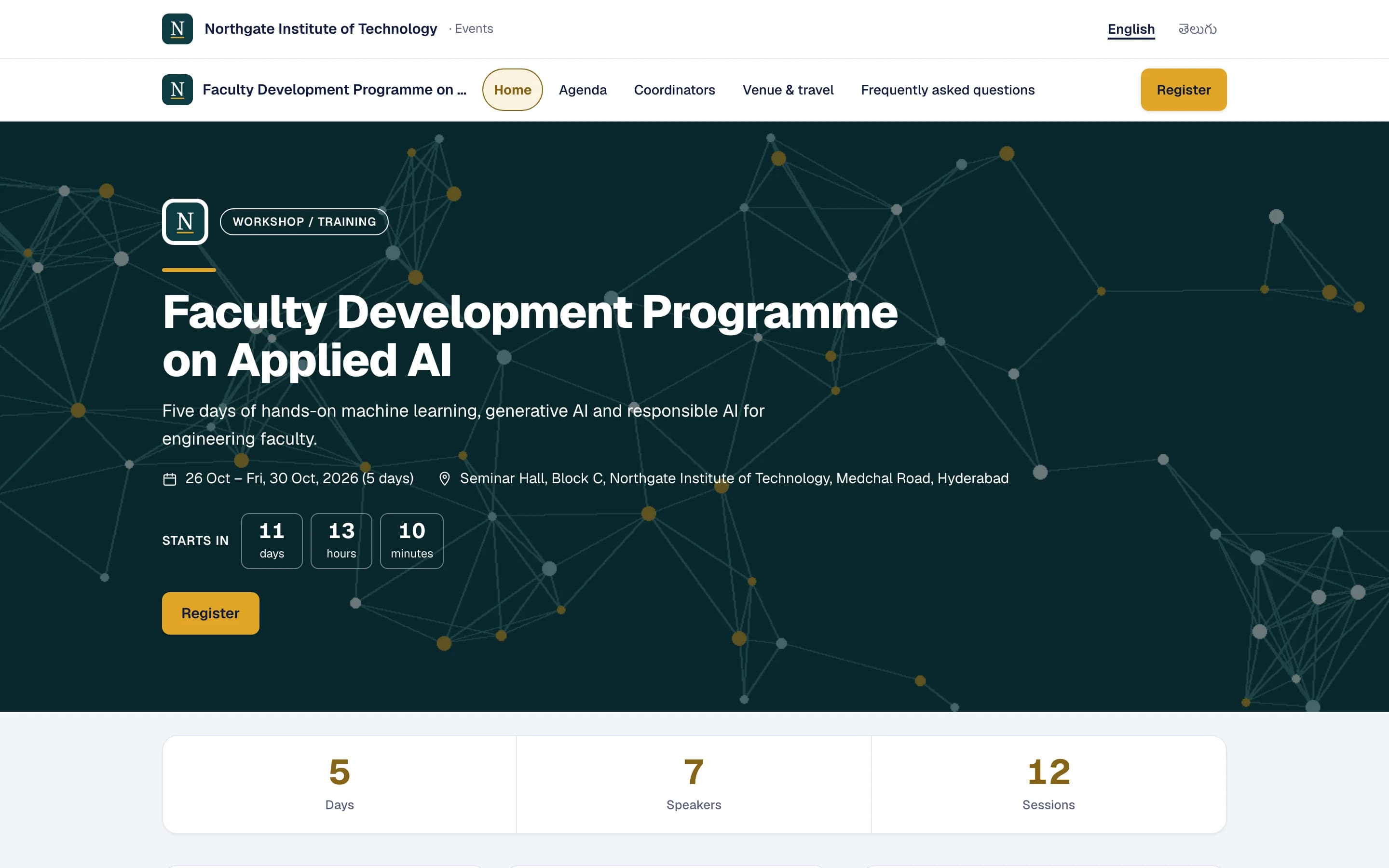
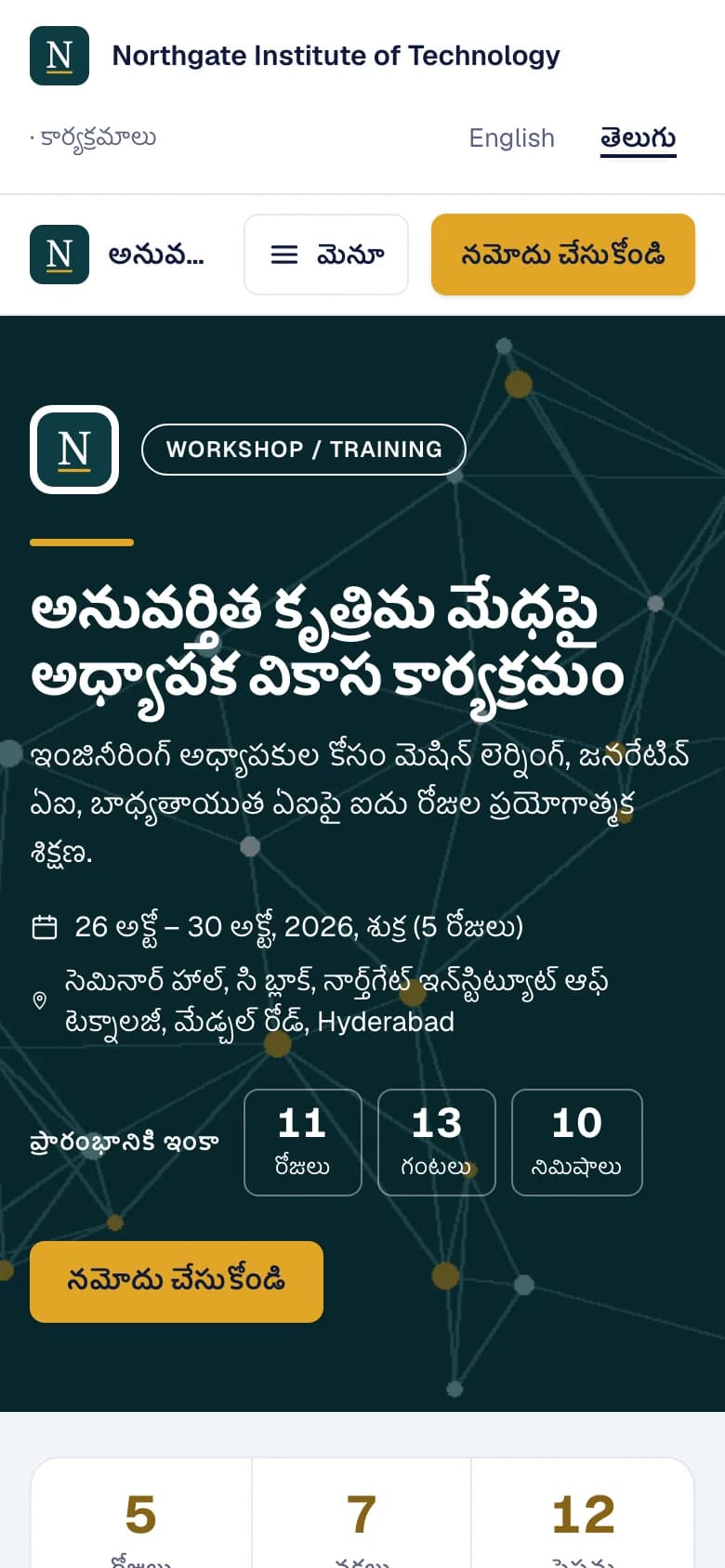
- Pages and a menu: the programme, speakers, sponsors, FAQ, news, gallery and documents
- Your own pages from five kinds of block, for a committee, accommodation or how to reach the venue
- Three themes: Government, Corporate and Minimal, in your colours
- English, Telugu and Hindi, with your own translations
- A registration form you can place inside your own website
- A share image and a calendar file for every event
- A cookie-free funnel: visits, forms started, registrations and payments
- Your Google Analytics and Meta Pixel, loaded only after the visitor agrees
Getting to “yes”
Know how many have confirmed against your target at any moment, and chase everyone else in order.
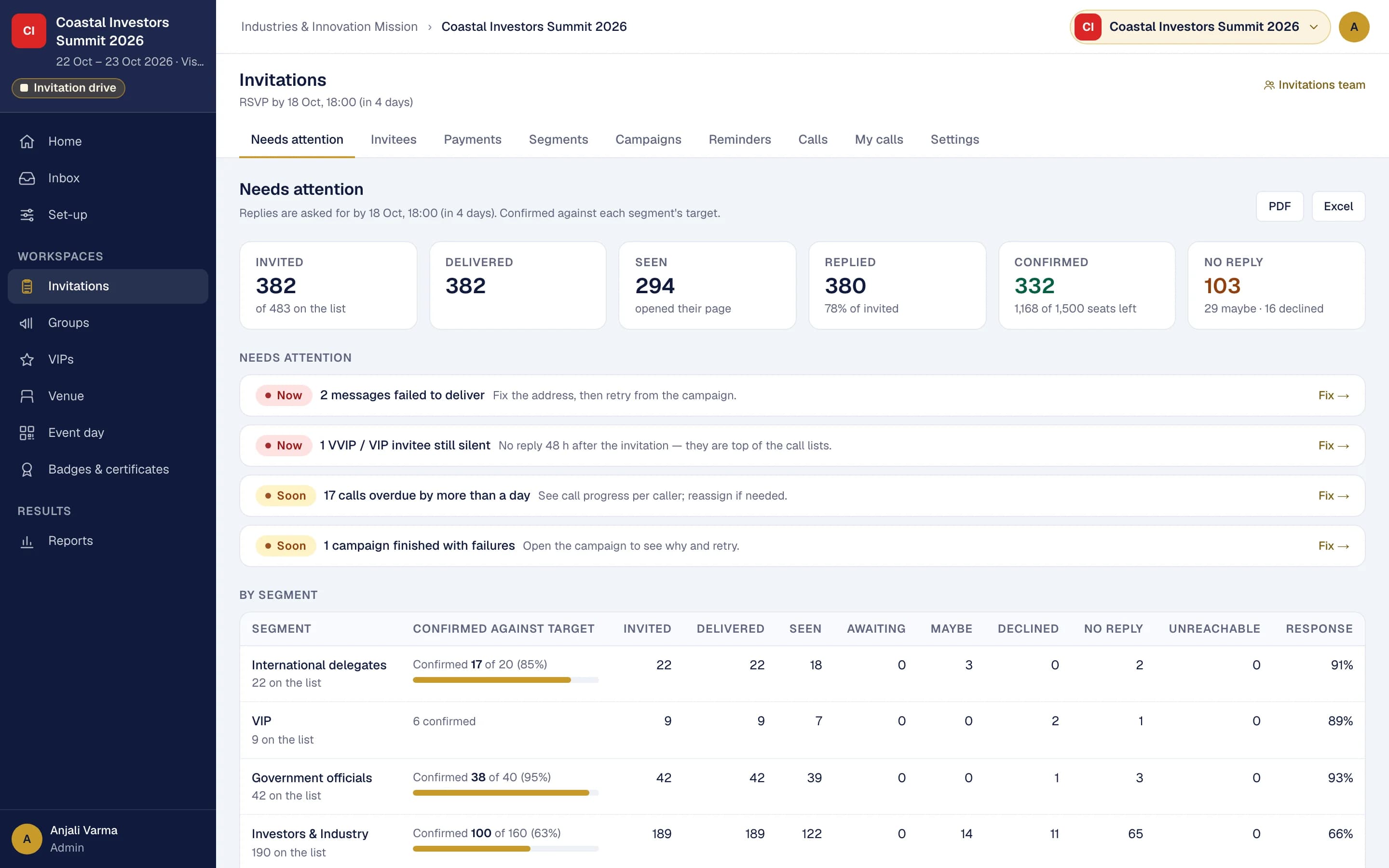
- Segments by category, organisation, city or reply, each with a target
- Invitations by email, WhatsApp and SMS, with a preview of who gets what and the estimated cost
- Reminder rules that send by themselves, never more than one a day to a person
- WhatsApp Accept, Maybe and Decline buttons, and replies in one Inbox
- Call lists for callers, each seeing only their own
- VIP invitees who stay silent are escalated to the top of the list
- Readiness against target, segment by segment
VIP and protocol
A desk for each part of a VIP's visit, one board that shows what is still open, and nothing that falls between the desks.
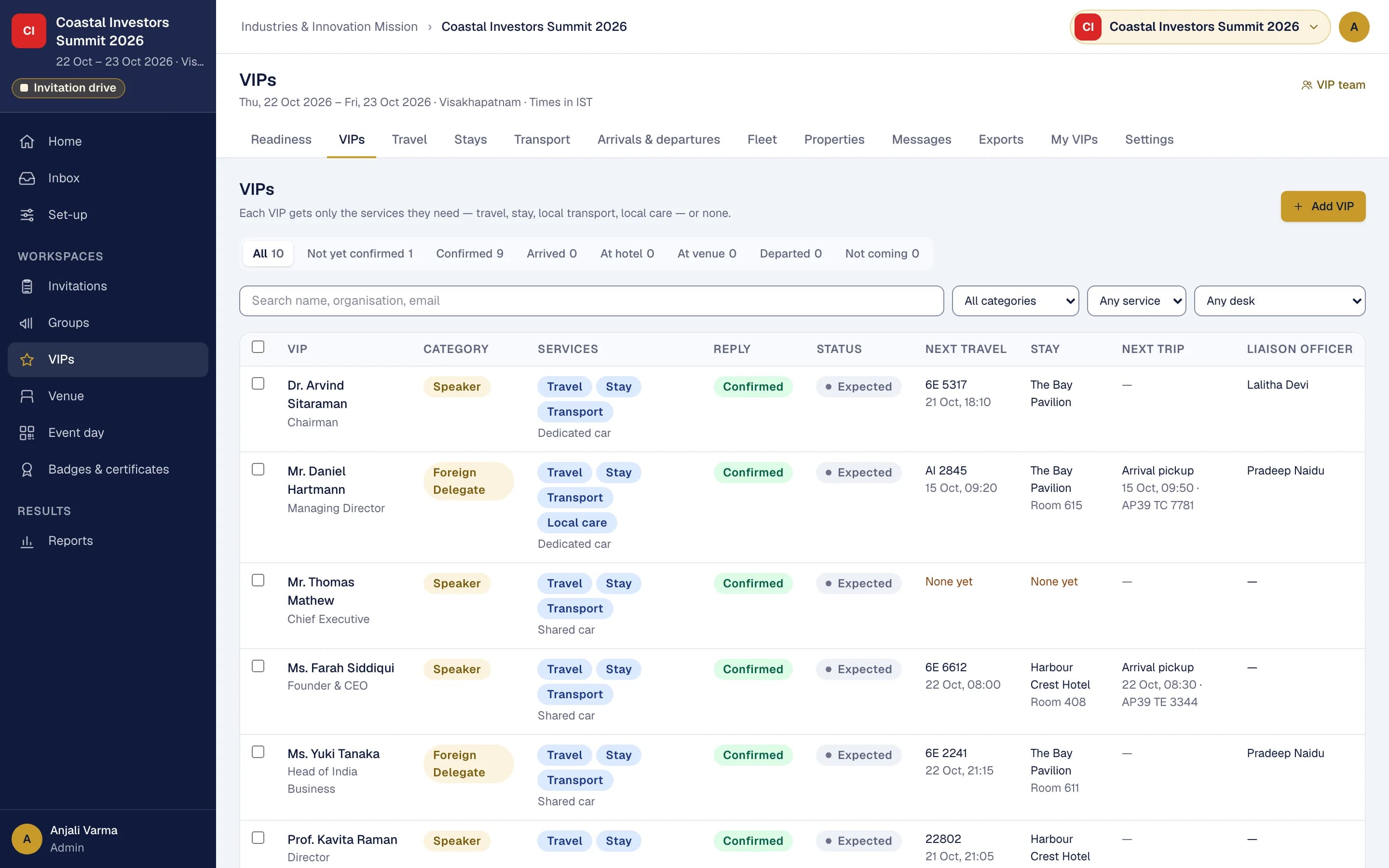
- Services chosen for each VIP: travel, stay, local transport and care
- Travel, accommodation and transport desks working from one readiness board
- Cars and drivers that can never be double-booked
- Drivers get a trip page with no sign-in; hotels get rooming lists with only the changes
- Liaison officers with their VIPs on their phone, told the moment the VIP reaches the gate
- The VIP office's own form for preferences, travel and companions
- Vehicle and parking passes, checked at vehicle gates
Venue and seating
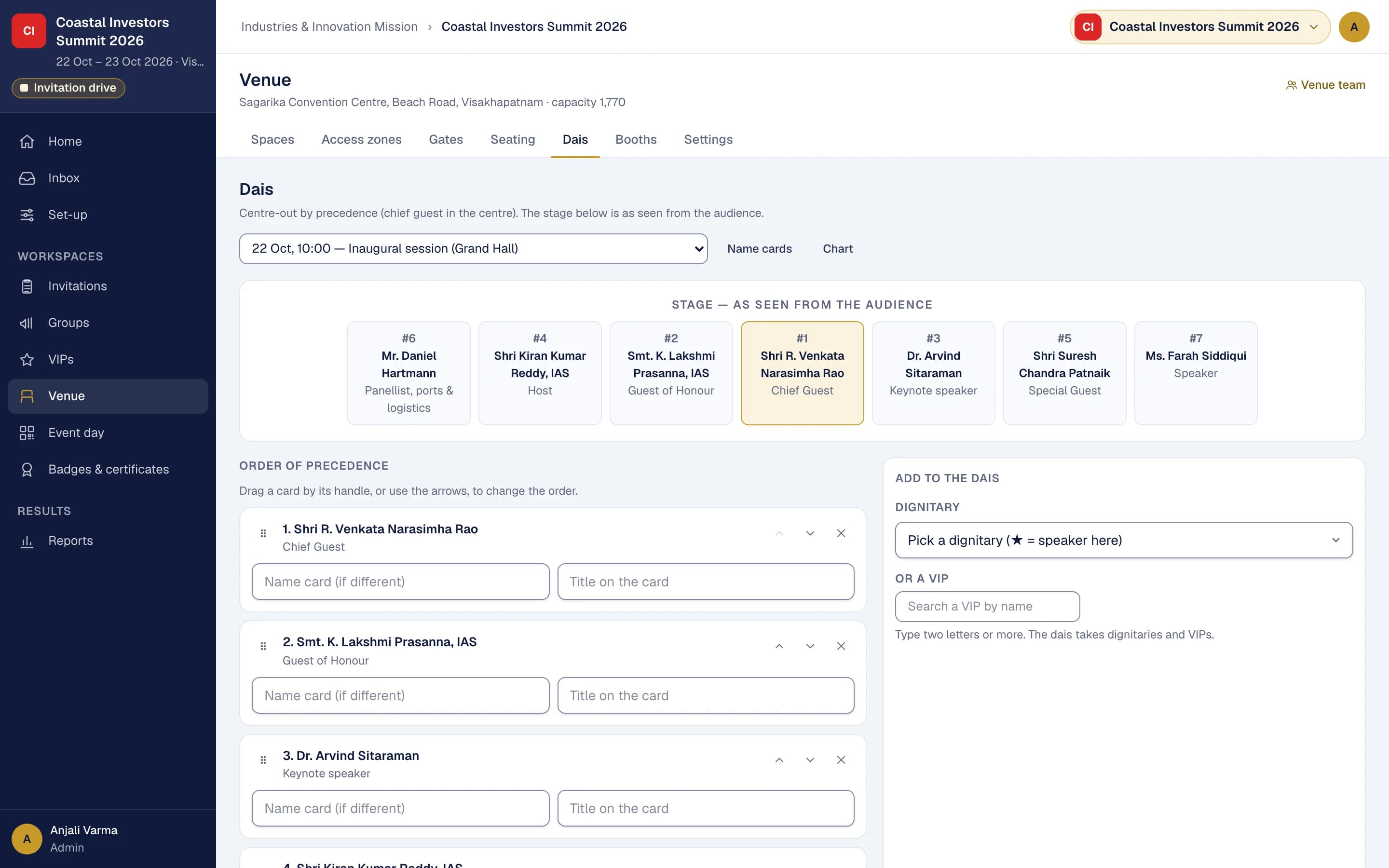
Halls, zones and seats, with every pass showing where its holder may go and where they sit.
- Halls, stages, rooms and parking areas, with their floor plans
- An access zone on every pass, shown as a colour band
- Seating plans by section and row, with people seated by name for each session
- The dais by order of precedence, centre-out or left to right, with tent cards and a stage chart
- Gates that admit the zones you choose
- Booths for exhibitions, with a public directory
Mobilisation
Bring people in by groups (districts, colleges, departments), each with a target and a captain to meet it.
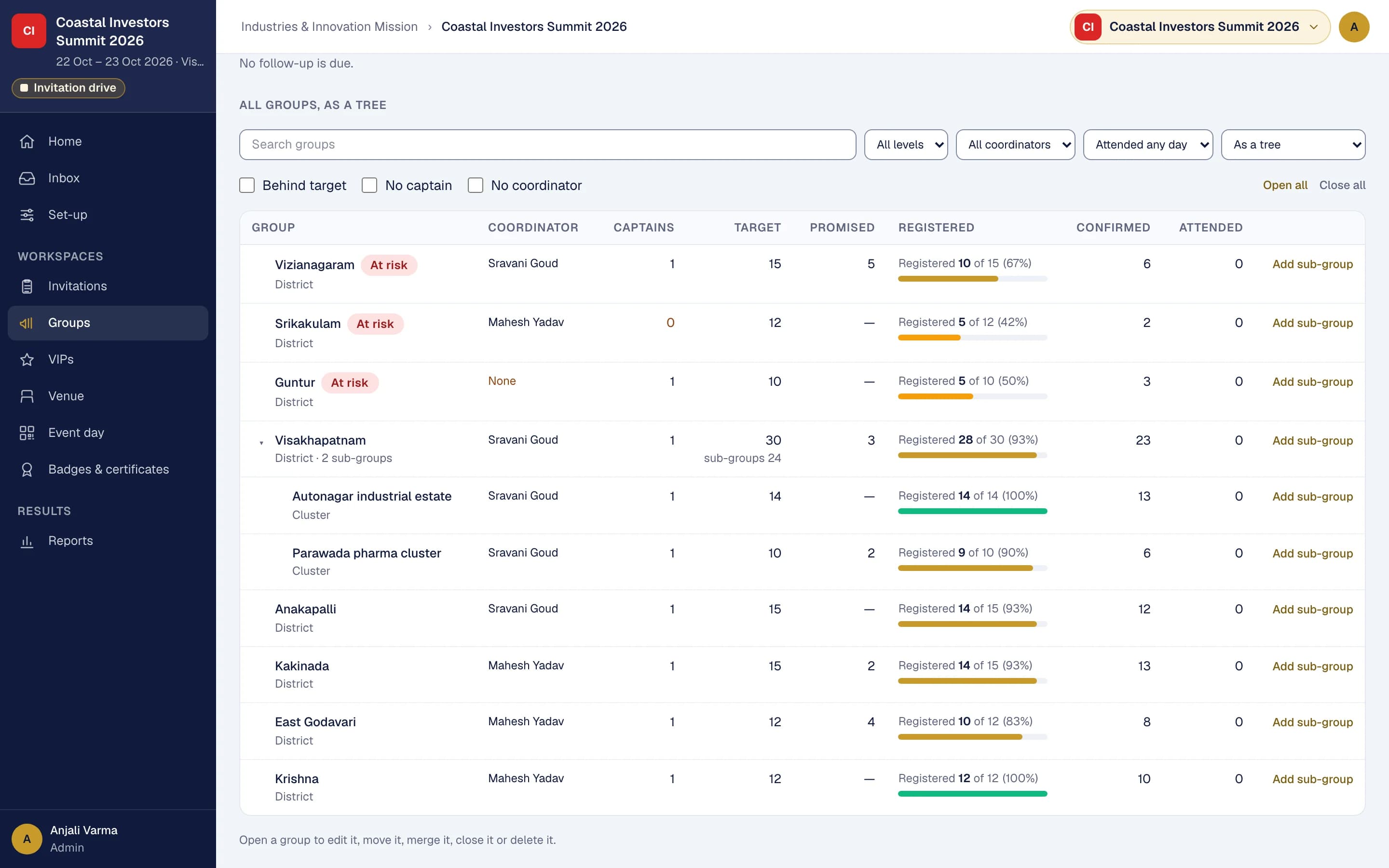
- A tree of groups to any depth, each with its own target
- Coordinators follow up with captains, the groups furthest behind first
- Captains add their people through a private link, with no account
- Nomination quotas per registration type, each captain's batch paid as one order
- Registered, confirmed and attended counted from real registrations and gate scans
- Groups at risk of missing their target flagged before the day
Event day
Get the right people in quickly, and know who is in and where.
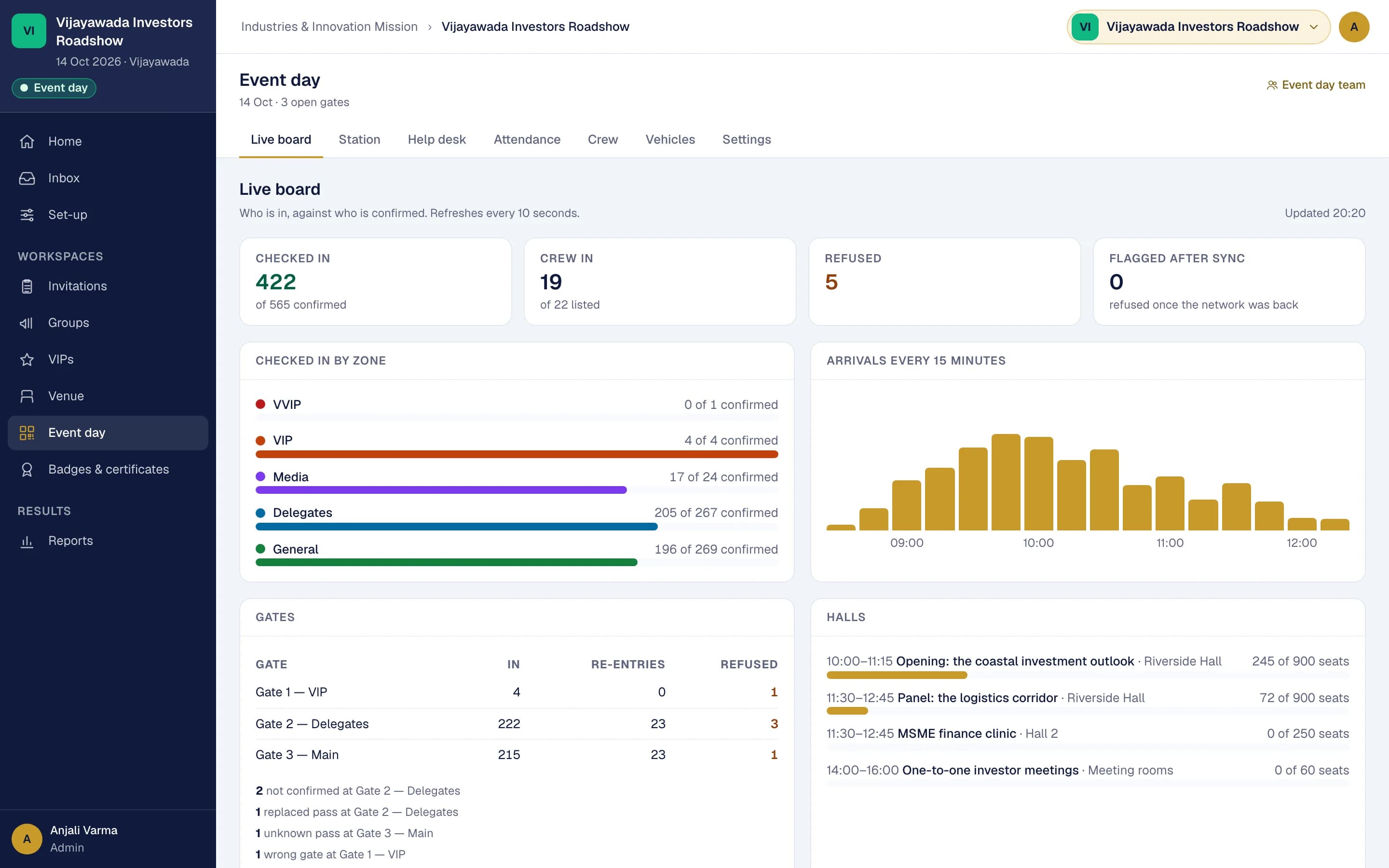
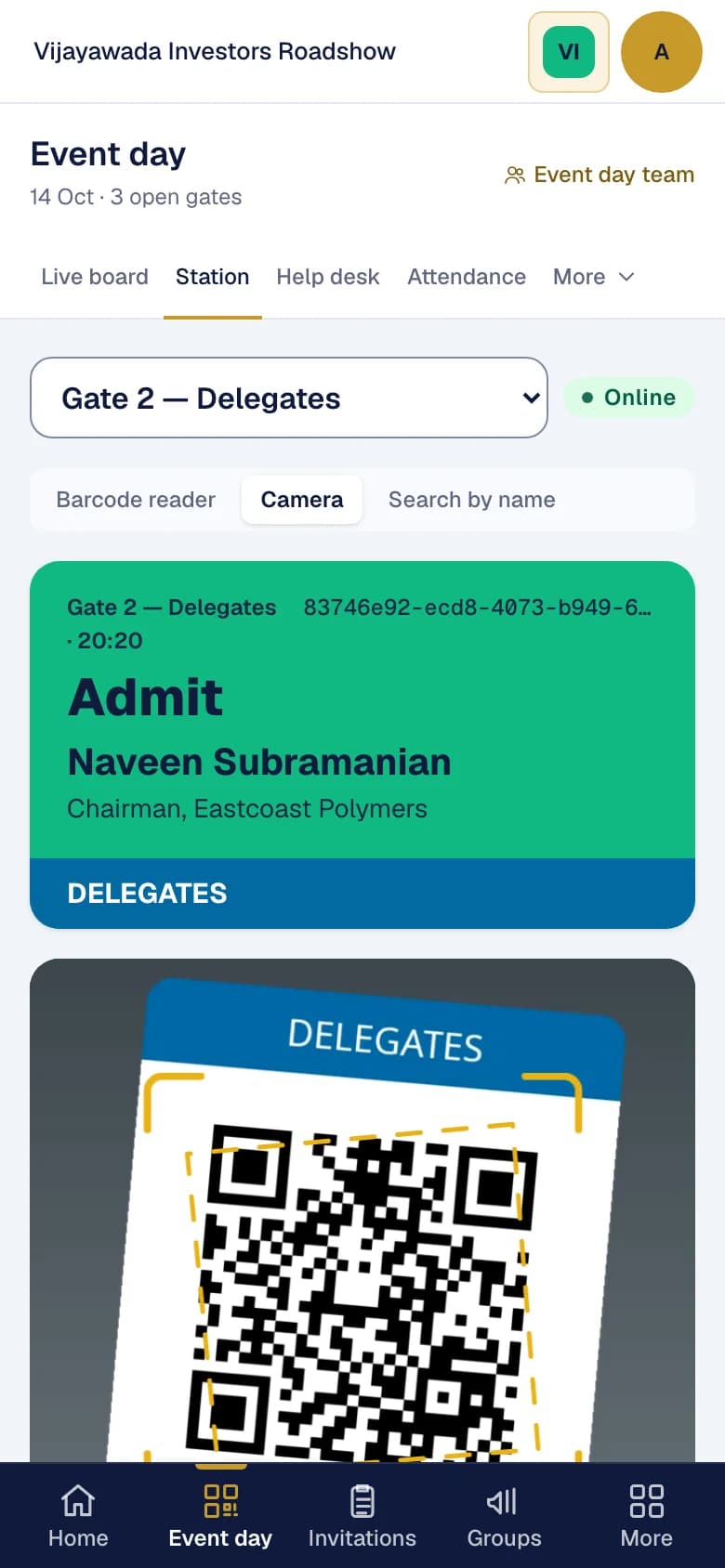
- Gate scanning with any phone's camera, with no app to install
- A USB or Bluetooth barcode reader, or a search by name, where that is quicker
- A pass for the wrong gate, the wrong zone or another event is caught at the scan
- A help desk for walk-ins, reprints and lost passes
- A live board: in against expected by gate, zone and category, refreshing by itself
- Attendance by day and by session, or marked in bulk for events without scanners
- Crew passes for volunteers, vendors and staff, counted separately
Badges and certificates
One designer for both, and certificates only for the people who earned them.
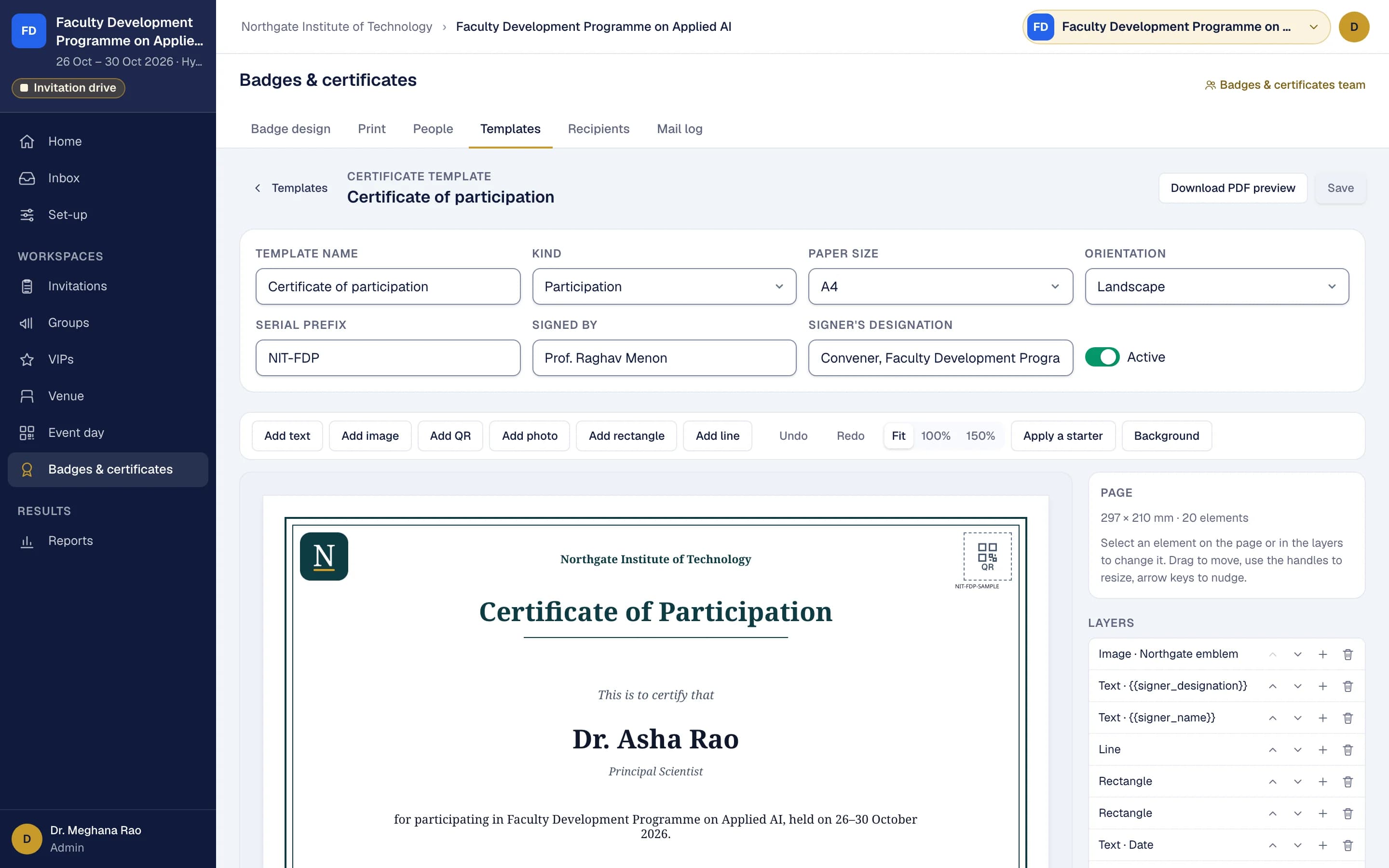
- Your background, text, photo and QR code placed on the page, with Telugu and Devanagari text
- Badges printed in batches, one per page or on A4 sheets, with a print log
- Certificates by days, sessions or hours attended, or issued once feedback is given
- A verification QR code on every certificate, and “Add to LinkedIn”
- A feedback form with speaker ratings, anonymous by default, and its report
Messaging
Email, WhatsApp and SMS through one pipeline, with consent built in and the cost shown before you send.
- One message on the channels you choose, with another channel for urgent messages when the first fails
- Consent recorded, and an opt-out on every message that holds across your events
- Every message tracked: sent, delivered, read, clicked and replied
- No hidden open-tracking pixels in email
- Prepaid credits for each channel, with the estimated cost shown before sending
Reports
Figures that reconcile with the registration records, ready to download when someone asks.
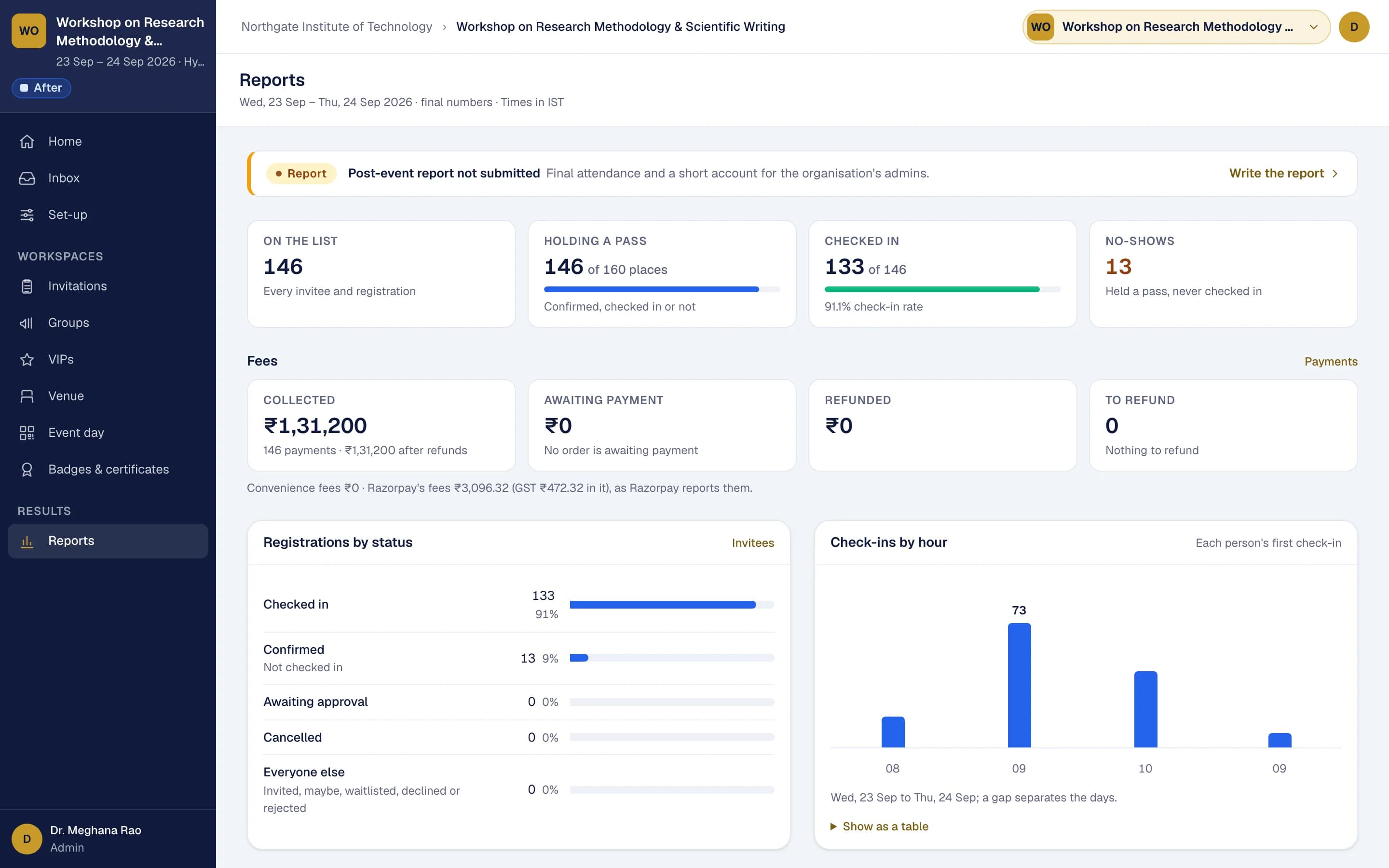
- An organisation home and an event home that show what needs attention
- Readiness, campaign and call reports
- The payments report: every order, paid and outstanding
- Attendance by day, session, zone and gate
- The event website's funnel, from visits to payments
- The post-event report, and every report as XLSX, CSV or PDF
Bring us your next event.
Tell us what you are planning. We will walk you through Eventboard with your event in mind, and send you the full price sheet.